University Application Management System
Centralized configuration and management of application master data.

Application Masters System
The EduSys Application Masters System enables institutions to configure all one-time settings based on their specific requirements. This includes application settings, academic configurations, notification preferences, department setups, building details, and more. By selecting the appropriate options, institutions can tailor the system to their needs, ensuring that the configured information is accurately reflected across all relevant screens within the EduSys software.
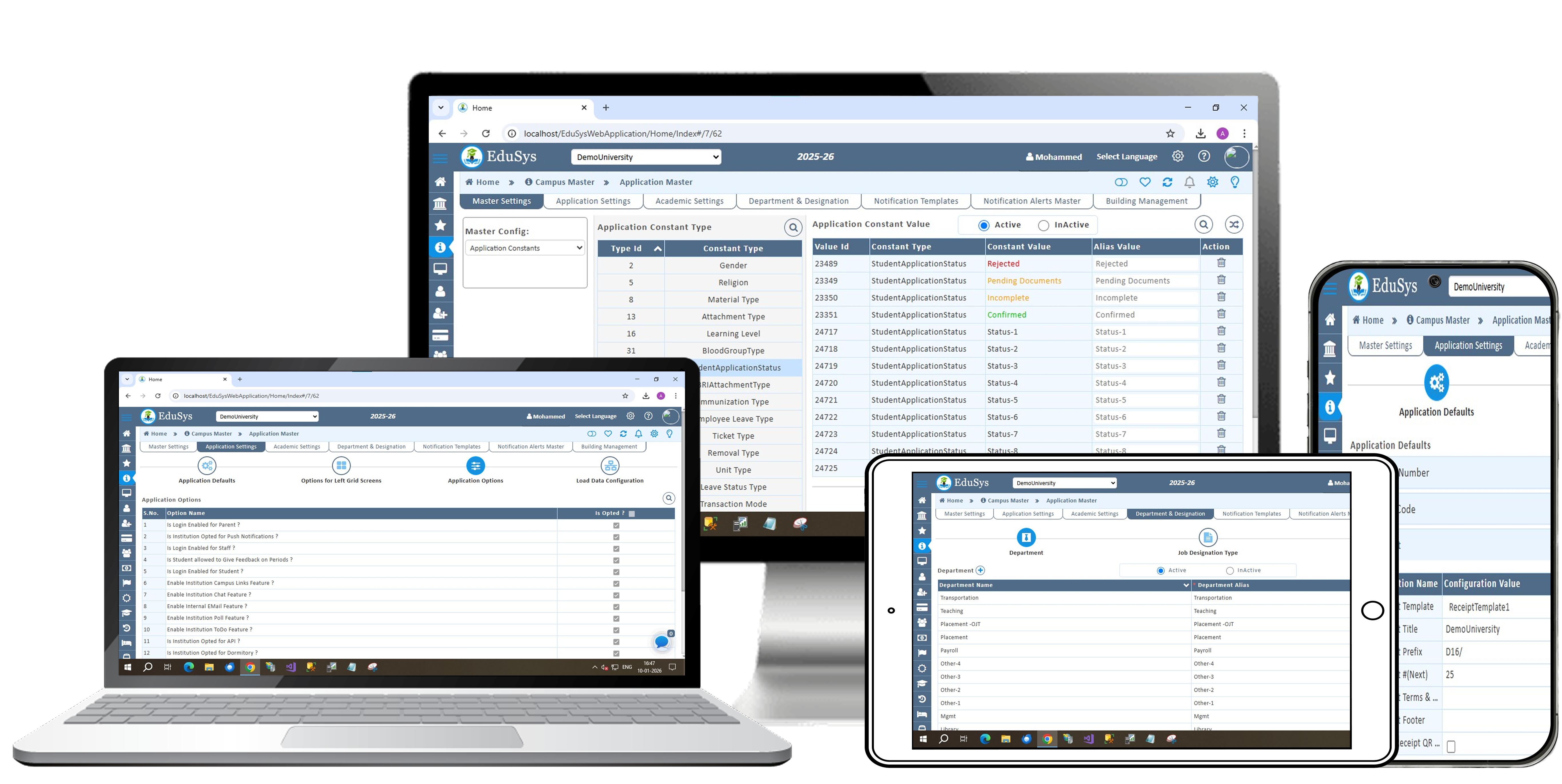
Application Masters System Features
Master Settings & Application Settings
The Master Settings module allows institutions to perform essential one-time configurations for core system features. It includes options to add admission documents, define staff assignment types, customize course year naming, and configure system behavior. Administrators can also enable daily diary emails with absence alerts for parents, set up letter formats, and manage branch and faculty ratings. Additionally, it supports capturing detailed family information such as occupation and qualification.
The Screen Defaults module provides flexibility in customizing how data is displayed across key screens like admissions, registrations, and staff records. Users can configure columns in the left grid, set preferences, edit or reset views, and manage important settings such as landing pages, roll and admission numbers, student feedback, fee templates, and receipt formats. SMTP configuration ensures reliable external email communication. While these settings are typically configured once, they can be updated anytime to meet evolving institutional needs.
Academic Settings & Department & Designation
The Academic Settings module includes an Elective Configuration screen that allows administrators to define and organize elective subjects for different batches. Management can create electives by specifying details such as name, subject code, and optional deadlines. These electives are then made available to students through the Elective Enrollment screen, where they can review and choose their preferred options. Administrators also have the flexibility to modify existing entries or clear unsaved information whenever required.
The Department and Designation screen is designed to streamline organizational structure management within the institution. It enables administrators to create departments and staff designations using customizable alias fields. These can then be connected through a mapping feature, which directly integrates with the Staff Registration screen for assigning roles to employees. Additionally, the interface includes options to filter records, make edits, delete entries, and clear data, ensuring smooth and efficient management of institutional information.
Notification Templates & Notification Alerts Master & Building Management
The Notification Templates screen allows administrators to create and manage standardized formats for sending alerts. Each template is defined by assigning a name, composing the message content, and inserting dynamic tags where required. Once saved, these templates can be reused for both manual and automated notifications, and they remain editable to accommodate future changes.
The Notification Alerts Master module provides control over which notifications users can receive. Management can enable or disable specific alert types and associate them with the templates created earlier. This ensures that users only receive notifications that have been authorized, maintaining clarity and relevance in communication.
The Building Management module supports the organization and maintenance of physical infrastructure within an institution. It allows administrators to structure buildings, floors, and rooms systematically, making it easier to manage space allocation, track usage, and oversee maintenance activities efficiently.
Load Data & ID Card & Event Gallery
The Load Data module simplifies the process of importing large volumes of institutional data by supporting bulk uploads through structured Excel templates. It accommodates various data types, including attendance, library records, hostel details, staff and student information, vehicle data, and biometric entries. After uploading, users can process the files and review detailed reports that highlight total records, successful uploads, failed entries, and visual summaries for better analysis.
The ID Card module allows institutions to create fully customized identification cards for students and staff. Administrators can design cards by selecting layouts, themes, background styles, and front color options to match institutional branding. Additionally, the Smart ID Card List helps in organizing, tracking, and managing all issued ID cards efficiently.
The Event Gallery module provides a structured way to create and maintain institutional events. Management can add new events by entering the event name and description, while the system maintains a complete list of all events. It also includes options to edit or manage existing records, ensuring that event information remains accurate and up to date.
Guest View & Guest View Social Media (GVI)
The Guest View Interface (GVI) in EduSys serves as a customizable platform that enables institutions to present their school information through a dedicated website. Administrators can tailor the interface by adjusting tabs, icons, page content, and background designs. It also allows them to add, update, or remove details such as galleries, announcements, and admission information at any time, giving complete control over what is displayed to visitors.
The Guest View Social Media feature in EduSys extends this functionality by allowing institutions to manage their online presence from a single interface. Schools can integrate up to six social media links, update them whenever required, and share brochures or important updates like school news. Additionally, management can choose from multiple themes and switch between them as needed, ensuring the page remains visually engaging while keeping all communication channels organized and easy to maintain.
Certificate Management & Certificate Approval
The Certificate Management module allows institutions to design and maintain certificates with a high level of customization. Administrators can create certificate themes by configuring templates, selecting types, defining attributes, adding attachments, and adjusting margins. This ensures that every certificate aligns with institutional standards while maintaining a professional and consistent appearance.
The Certificate Approval screen streamlines the process of handling student certificate requests. Management can easily filter applications based on criteria such as date, user role, degree code, course year, and request status. The system presents all relevant details in a structured format, enabling administrators to review each request and take appropriate actions efficiently.
Frequently Asked Questions
The Application Master is a centralized module that manages key administrative and academic functions in one place. It includes settings for admissions, staff roles, courses, communication, and system configurations like roll numbers, fees, and SMTP. It also covers academic features such as elective management, along with tools for notifications, department mapping, and infrastructure management (buildings, floors, and rooms). Overall, it ensures streamlined operations, accurate records, and efficient control of institutional processes.
The features of Application Master are:
- Provides a centralized system to manage all administrative and academic settings.
- Simplifies operations like admissions, staff allocation, electives, and certificates.
- Offers customizable configurations for behavior, courses, layouts, and notifications.
- Enables efficient staff management through department and designation mapping.
- Supports automated communication with configurable notification templates and alerts.
- Enhances academic processes with elective creation and student selection.
- Facilitates infrastructure management for buildings, floors, and rooms.
- Ensures accurate and consistent record-keeping across all functions.
- Allows flexible updates to adapt to changing institutional needs.
- Improves decision-making with consolidated data and streamlined workflows.
The Campus Configuration module in EduSys simplifies school operations and enhances digital presence. It supports bulk data uploads for attendance, staff, students, and more, with detailed reports.Guest View (GVI) enables a customizable website with real-time updates, while GVI Social Media manages social links, news, and themes. The ID Card Module allows easy design and tracking of ID cards, and Certificate Theme & Approval streamlines certificate creation and requests. The Event Gallery helps organize and showcase school events efficiently.
- Efficiently manage bulk data for attendance, staff, students, dorms, library, vehicles, and biometrics with detailed reporting.
- Create a customizable school website via Guest View (GVI) with editable tabs, galleries, and live admission updates.
- Manage multiple social media links, news, brochures, and website themes from a central platform.
- Simplify ID card creation and tracking with configurable layouts, themes, and Smart ID Card Lists.
- Generate professional certificates with templates, attributes, attachments, and approval workflows.
- Plan and organize school events effectively using the Event Gallery module.
- Integrate academic, administrative, and digital workflows for seamless operations.
- Improve communication and engagement with parents, students, and stakeholders.
- Enjoy unlimited flexibility in editing content, templates, and digital resources.
- Save time and resources by reducing manual work and boosting productivity.
What is the price of Application Master?
It will be based on Institution's student strength and please contact our sales for more information.
EduSys Pricing8.7/10 Rating on Google Business | 13 Reviews
Useful Links
Social media









Copyright © 2026. All Rights Reserved. | Developed by 